04 May 2026 • 12 Minutes Read
Written by Elore Digital Team
What Is LLMs.txt? Why You Need It On Your Site
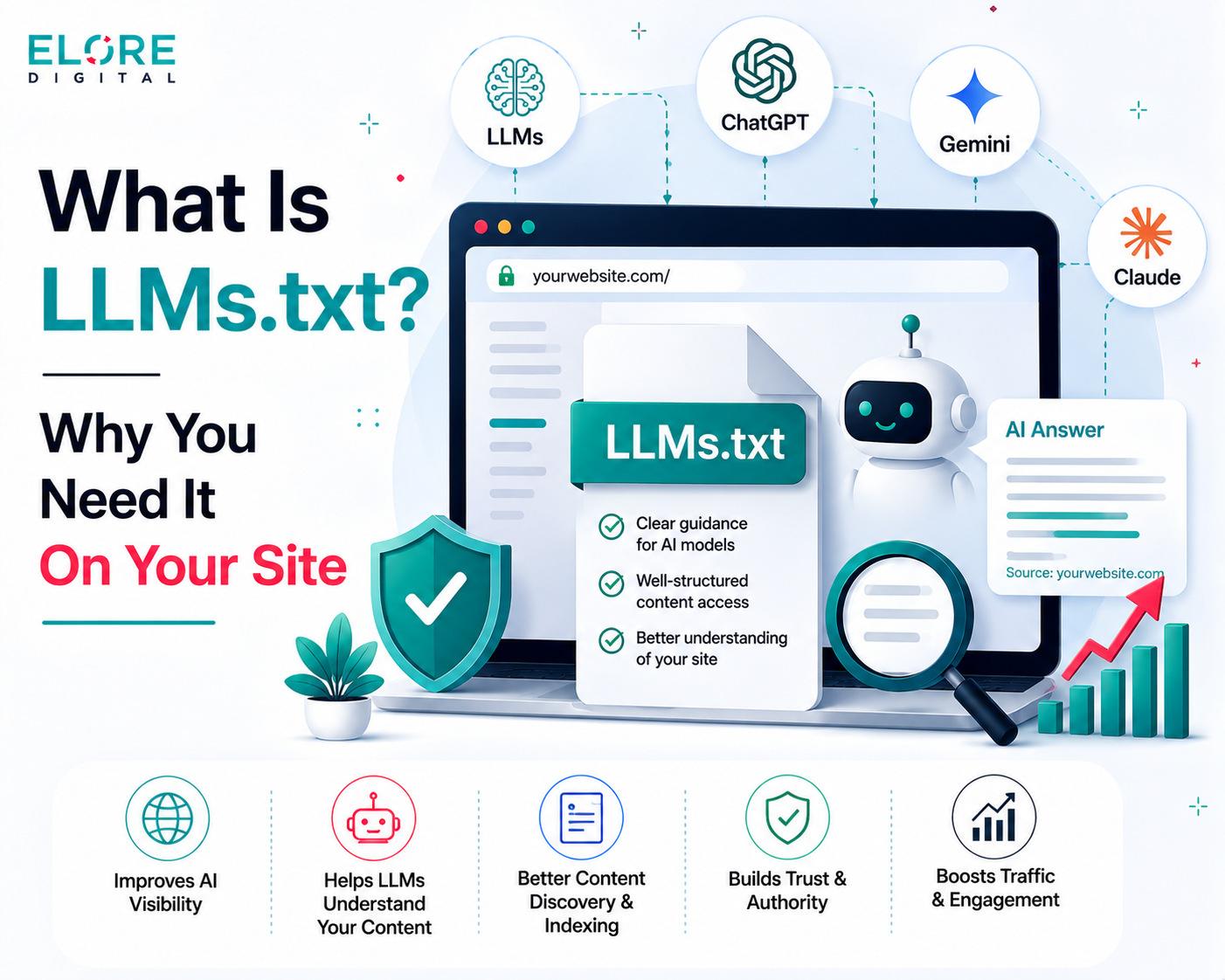
What Is LLMs.txt? Why You Need It On Your Site – a simple guide to helping AI tools better understand, index, and feature your website content
What is llms.txt?
If you have ever typed a question about a product or a company into ChatGPT, Claude, or any other AI assistant, you have experienced what happens when an AI tries to read a website. The problem is that AI tools do not read websites the same way a human does. They cannot scroll, they do not click through menus, and they have a limited amount of information they can process at one time. So when someone asks an AI about your company, the AI might miss your most important pages, pick up outdated content, or give a half accurate answer based on whatever it happened to find first.
This is exactly the problem that llms.txt was designed to solve.
llms.txt is a simple plain text file that you place on your website. It lives at a fixed, easy to find location, specifically at yourwebsite.com/llms.txt. Inside this file, you write a short, organised summary of your website that is specifically formatted to be easy for AI systems to read and understand. You tell the AI which pages matter most, what your website is about, and where to find the most accurate and up to date information.
Think of it this way. You already have a robots.txt file on your website that tells search engine crawlers like Google which pages to index and which to skip. The llms.txt file does something similar, but it is designed specifically for AI systems rather than traditional search engines. Instead of just saying what to avoid, it actively guides the AI toward your best content.
The idea was proposed in September 2024 by Jeremy Howard, who is associated with Answer.AI. The thinking was straightforward. AI systems are increasingly being used to find information, answer questions, and recommend products and services. If AI systems cannot properly understand what your website is about, your business becomes less visible in this new AI-driven world. The llms.txt file gives websites a way to participate in how AI understands them.
The file itself is written in a format called Markdown, which is a lightweight way of writing structured text using simple symbols. You do not need to know how to code to understand or contribute to it, but your IT team can set it up easily.
How Does llms.txt Work?
To understand how llms.txt works, it helps to understand how AI tools currently read websites. When someone asks an AI assistant a question about a website, the AI may visit that website in real time or rely on content it has previously learned from. In either case, it faces a significant challenge.
A typical web page is full of things that are useful for human readers but confusing for AI systems. Navigation menus, cookie banners, advertisements, scripts, images, and all sorts of background code sit alongside the actual content. The AI has to sift through all of this just to find the information that is relevant to the question being asked. And because AI systems have a limited processing window, meaning they can only handle a certain amount of information at one time, they often miss large parts of a website entirely.
When your website has an llms.txt file, the AI can go directly to that file first. Instead of crawling every page and guessing what matters, it reads a clean, organised summary that you have written yourself. The summary tells it what your website is about, which pages are most important, and how the content is organised. This means the AI gets accurate, relevant information without wasting effort on unimportant pages.
The Two Versions of the File
There are actually two related files that websites can have.
llms.txt is the main file. It is a short, structured index that lists your most important pages with brief descriptions. Think of it as a curated table of contents for AI systems.
llms-full.txt is an optional extended version. It contains the full content of your most important pages combined into a single file. This gives AI systems everything they need in one place, which is especially useful for product documentation, help centres, and technical content.
Most websites start with just the llms.txt file. The full version is more useful for websites that have extensive documentation or technical content where complete accuracy is important.
What the File Looks Like
Here is a simplified example of what an llms.txt file looks like for a fictional company called Acme Corp. This gives you an idea of the structure and how straightforward it actually is.
# Acme Corp
> Acme Corp provides cloud-based tools for small and medium businesses.
> We help teams manage projects, track tasks, and communicate in one place.
## Getting Started
- [Quick Start Guide](https://acmecorp.com/docs/quickstart): Set up your account in 5 minutes.
- [User Onboarding](https://acmecorp.com/docs/onboarding): Full guide for new users.
## Products
- [Task Manager](https://acmecorp.com/products/tasks): Manage and track all your work.
- [Pricing](https://acmecorp.com/pricing): Plans and pricing for all team sizes.
## Support
- [Help Centre](https://acmecorp.com/help): Answers to common questions.
- [Contact Us](https://acmecorp.com/contact): Reach our support team.
## Optional
- [Blog](https://acmecorp.com/blog): Tips and updates from our team.
Notice how it is written in plain language with clear sections. Anyone reading it, whether human or AI, can immediately understand what the website offers and where to find specific information.
The Purpose of llms.txt and Why It Matters
The purpose of llms.txt is to bridge the gap between how websites are built for humans and how AI systems need to read them. Right now, people are increasingly going to AI tools instead of search engines to find information. They ask AI assistants to recommend products, explain services, compare prices, and answer questions about businesses. If your website is not set up to be understood by AI, you risk being misrepresented or ignored in this growing channel.
Here is a concrete example. Imagine someone asks ChatGPT about your company's return policy. Without llms.txt, the AI might find an old version of your policy from a cached page, or it might pull partial information from a blog post that mentioned returns in passing, or it might simply say it does not have enough information. With llms.txt, you can point the AI directly to your current, accurate returns page. The person gets the right answer. Your company looks reliable and professional.
Core Purposes
Accuracy of Information — Giving AI the right pages means it gives people the right answers about your business. You are in control of what gets highlighted.
Freshness of Content — When you update your llms.txt file to reflect new pages or remove old ones, AI systems get your current information rather than outdated content.
Visibility in AI Search — As more people use AI tools to discover products and services, having an llms.txt file helps ensure your content is found and accurately represented.
Efficiency for AI Crawlers — AI systems do not have to waste time guessing which pages matter. You tell them directly, which means they can focus on understanding your key content properly.
Brand Control — You shape how your brand and products appear when AI tools talk about them. Rather than leaving this to chance, you actively guide it.
A useful comparison: Before search engine optimisation became common, many businesses had no way to influence how Google ranked their pages. The businesses that learned and applied SEO got ahead. llms.txt is an early opportunity to do the same thing for AI-powered discovery. The standard is new, but it is growing fast. Companies like Stripe, Cloudflare, and Zapier have already implemented it.
Benefits of Having llms.txt on Your Website
Here is a clear breakdown of what your organisation stands to gain by implementing llms.txt.
For Your Business
Better representation in AI tools: When someone asks an AI about your company, it finds your official, up to date content instead of random mentions or old cached pages.
More accurate answers about your products: AI tools can correctly describe your services, pricing, and policies because you have told them exactly where to look.
Reduced customer confusion: People who get accurate AI-generated answers about your business are less likely to be confused or misled before they even reach your website.
Competitive positioning: Most websites still do not have llms.txt. Being among the early adopters puts your website ahead of competitors in AI-driven discovery.
Long term investment: As AI becomes a bigger part of how people search and shop, having llms.txt in place means you are already prepared.
For Your IT and Content Teams
Low effort to implement: The file can be created and deployed in a matter of hours. It does not require complex development work.
No impact on existing SEO: llms.txt does not conflict with your existing robots.txt or sitemap files. It sits alongside them without interfering.
Easy to maintain: When your website content changes, you update the file. It is a simple text file, not a complex system.
No risk of penalties: Unlike some aggressive SEO tactics, there is no downside to having llms.txt. No major platform has indicated that it penalises sites for having it, and many are moving toward supporting it.
For Dashboard Users and Content Managers
You decide what AI sees: If you manage your website through a dashboard or CMS, the content you promote in llms.txt is the content AI will prioritise.
Direct influence over AI answers: Instead of hoping AI finds the right information, you are actively pointing it in the right direction.
Easier content updates: Because llms.txt is a standalone file, you can update it without touching the underlying website structure.
How llms.txt Makes Your Website Different
Let us look at the practical difference between a website that has llms.txt and one that does not, particularly when someone uses an AI assistant to find information.
Without llms.txt — AI has to guess which pages matter. It may pick up outdated blog posts, irrelevant pages, or incomplete information. The answer it gives the user may be wrong or misleading.
With llms.txt — AI reads your curated guide first. It knows which pages are official, current, and important. The answer it gives reflects your actual content accurately.
Without llms.txt — Your latest product update or new pricing page may never be found by AI, because there is no signal telling it that page is important.
With llms.txt — You list your new pages in the file and AI tools can find and reference them as soon as the file is updated.
Without llms.txt — A competitor with better structured content may be more accurately represented by AI tools, making them appear more authoritative or better informed.
With llms.txt — Your website signals to AI that it is well organised and trustworthy. You take control of your own narrative in AI-driven conversations.
The difference is not just about technical visibility. It is about trust and accuracy. When AI tools give reliable, accurate information about your business, people trust your brand more. When they give incorrect or outdated information, people may be confused or choose a competitor instead.
Real world example: Stripe, which processes payments for millions of businesses worldwide, has implemented llms.txt across its documentation. This means when a developer asks an AI assistant how to set up Stripe payments, the AI can find Stripe's actual, up to date documentation rather than a tutorial blog post from three years ago. The accuracy benefits the developer, and it reflects well on Stripe as a reliable, well maintained platform.
How Dashboard Users Can Work With llms.txt
If your organisation has people who manage content through a dashboard or content management system such as WordPress, Shopify, Webflow, or a custom CMS, there are several ways they can directly influence and benefit from llms.txt.
What a Dashboard User Can Do
Identify priority pages — Work with the content team to decide which pages matter most. This could be your homepage, key product or service pages, pricing, contact, blog categories, or documentation. These are the pages that should appear in llms.txt.
Update the file when content changes — When a new product launches, a page is redesigned, or old content is retired, the llms.txt file should be updated. Dashboard users are often best placed to know when this happens.
Review what AI says about your site — You can test your llms.txt file by asking AI tools like ChatGPT or Claude questions about your website. If the answers are accurate and reflect your current content, the file is working well.
Write clear page descriptions — When adding links to llms.txt, the short descriptions you write for each page matter. Clear, informative descriptions help AI understand each page better. Dashboard users who know the content well are ideal for writing these.
Flag outdated content — If a page in llms.txt no longer reflects current information, dashboard users can flag it for removal or update.
Plugins and Tools That Help
WordPress users can use the Yoast SEO plugin, which has built in support for generating llms.txt automatically.
For other platforms, tools like the Firecrawl llms.txt generator can crawl your website and create a draft file that you then review and refine.
Documentation platforms like Mintlify, Gitbook, and VitePress can automatically generate and maintain an llms.txt file based on your content structure.
Even with automated tools, a human review is important. Automated tools generate a starting point, but a content manager who understands your business priorities should review the file to make sure it reflects what matters most.
How the IT Department Can Integrate llms.txt
This section is written specifically for your IT team. It covers the technical steps involved in creating, placing, and maintaining the file, as well as considerations for different types of websites.
Step 1 — Plan Before You Build
Before creating the file, the IT team should coordinate with content and marketing to get a list of priority pages. Ask the following questions.
Which pages best represent what the organisation does? Which pages do we most want people to find based on their
search intent when they search for us using AI? Which pages have the most accurate and up to date information? Are there any pages we do NOT want AI systems to focus on, such as internal or outdated pages?
This planning step ensures the file reflects business priorities rather than just technical structure.
Step 2 — Create the File
The file is a plain text file written in Markdown format. It should be named exactly llms.txt, with no spaces and all lowercase. The file must follow a specific structure.
Start with a single H1 heading using the hash symbol, followed by your website or company name. Below that, add a short description in a blockquote using the greater than symbol. This should be two to four sentences explaining what your website is about. Then add sections using double hash headings. Each section groups related links together. Under each section, list your links in a standard format: the page title in square brackets, followed by the URL in round brackets, and then a short colon separated description. You can add an Optional section at the bottom for less important content that AI can use if needed but does not need to prioritise.
Use any plain text editor such as VS Code, Notepad, Sublime Text, or even a basic online Markdown editor. The file must be saved as llms.txt exactly, not llms.md, not LLMs.txt, not llm.txt.
Step 3 — Place the File on the Server
The file needs to be placed in the root directory of your website. This means it should be accessible at yourwebsite.com/llms.txt. After uploading the file, open a browser and navigate to that URL to confirm it loads correctly and displays the plain text content.
If your website is hosted on a shared hosting platform, you can use your hosting control panel or FTP client to upload the file. If you are on a cloud server, your team can add it directly through the file system or deployment pipeline.
Step 4 — Set the Correct File Type
Make sure your server returns the file with the correct content type header. It should be served as text/plain. Most servers do this automatically for .txt files, but it is worth confirming. You can check this by looking at the response headers when you access the file in a browser developer tool.
Step 5 — Optionally Create the Full Version
If your website has substantial documentation, a detailed product catalogue, or a comprehensive help centre, consider also creating an llms-full.txt file. This file contains the full content of your key pages, not just links to them. It gives AI systems a single location where they can read everything without making multiple requests.
To create this file, export the content of each important page in plain Markdown format, then combine them into a single file with clear section dividers indicating which content came from which page. Reference this file from your main llms.txt by adding a line near the top that links to it.
Step 6 — Automate Updates
The llms.txt file is only useful if it stays current. If your website updates frequently, consider automating the process.
If you use a CMS like WordPress, install a plugin that regenerates the file automatically when content changes. If you have a custom built website, your development team can write a script that regenerates the file as part of your existing deployment or content publishing workflow. Set a calendar reminder for a quarterly manual review even if automation is in place, just to ensure the file still accurately reflects business priorities.
Step 7 — Test It
After deployment, test the file in a few ways.
Browser test — Open yourwebsite.com/llms.txt in a browser and confirm it loads as plain text.
AI tool test — Ask an AI assistant like ChatGPT or Claude about your organisation. See if the answers reflect the pages you listed in the file.
Validator test — Visit llmstxt.org to check whether your file meets the specification requirements.
Compatibility With Other Files
The llms.txt file does not replace or interfere with your existing robots.txt or sitemap.xml files. They each serve a different purpose.
robots.txt — Tells search engine crawlers what they are or are not allowed to index. Controls access. sitemap.xml — Lists all URLs on your website so search engines can find and index them. Covers everything. llms.txt — Curated guide for AI systems. Points them to the most important and relevant pages. Focus on quality over quantity.
A well configured website will have all three. Each one speaks to a different type of automated system in a language that system understands best.
Important Considerations and Honest Expectations
It is important to approach llms.txt with clear expectations. The standard is still relatively new and its adoption across AI platforms is growing but not yet universal.
What Is Confirmed
The standard was formally proposed in September 2024 and has gained real traction in the developer and AI community. Major companies including Stripe, Cloudflare, Zapier, and Coinbase have implemented it. AI-driven traffic to websites has been growing significantly and is expected to continue growing as people shift from search engines to AI tools for information discovery. The file is risk-free to implement. There is no evidence of any platform penalising sites that have it.
What Is Still Developing
As of early 2026, not all major AI platforms have officially confirmed they actively read llms.txt files during live queries. Google, OpenAI, and others continue to evolve how their AI systems handle web content. Research from some SEO organisations suggests that current AI crawlers do not consistently access llms.txt files. However, this landscape is changing quickly. The file is most immediately useful for AI-powered tools that are explicitly designed to read and use it, such as developer tools, documentation platforms, and AI agents.
The honest view: Implementing llms.txt right now is a forward-looking investment rather than a guaranteed immediate return. The effort is small, the risk is zero, and the potential upside increases as AI-driven discovery grows. Organisations that set this up now will be in a stronger position as adoption increases across AI platforms.
What llms.txt Does NOT Do
It does not prevent AI systems from reading other parts of your website. If you want to restrict AI access to certain pages, robots.txt is the appropriate tool. It does not directly improve your Google search rankings. It is not an SEO file in the traditional sense. It does not guarantee that every AI tool will use it. Adoption is growing but not yet universal. It does not replace the need for high quality, well written content on your website. AI tools still need good content to give good answers.
Implementation Checklist for the IT Team
Step 1 — Meet with content and marketing to identify the 10 to 20 most important pages on the website. Step 2 — Write short, clear descriptions for each of those pages (one to two sentences each). Step 3 — Create the llms.txt file using the correct Markdown structure with H1 title, blockquote description, and grouped sections. Step 4 — Name the file exactly llms.txt and save it as plain text. Step 5 — Upload the file to the root directory of the website. Step 6 — Test by opening yourwebsite.com/llms.txt in a browser to confirm it loads. Step 7 — Validate the file structure at llmstxt.org. Step 8 — Optionally create llms-full.txt for documentation-heavy sections. Step 9 — Decide on an update process, either automated through a CMS plugin or a scheduled manual review. Step 10 — Test by asking an AI assistant questions about your website and comparing answers to your actual content.
Conclusion
In conclusion, llms.txt is a simple yet useful step toward preparing your website for the growing role of AI in finding and sharing information. By providing AI systems with a clear guide to your most important content, it can help ensure that your business, products, and services are represented more accurately. It is also easy to implement and gives businesses greater control over how their content may be understood and presented by AI tools.




Leave A Reply