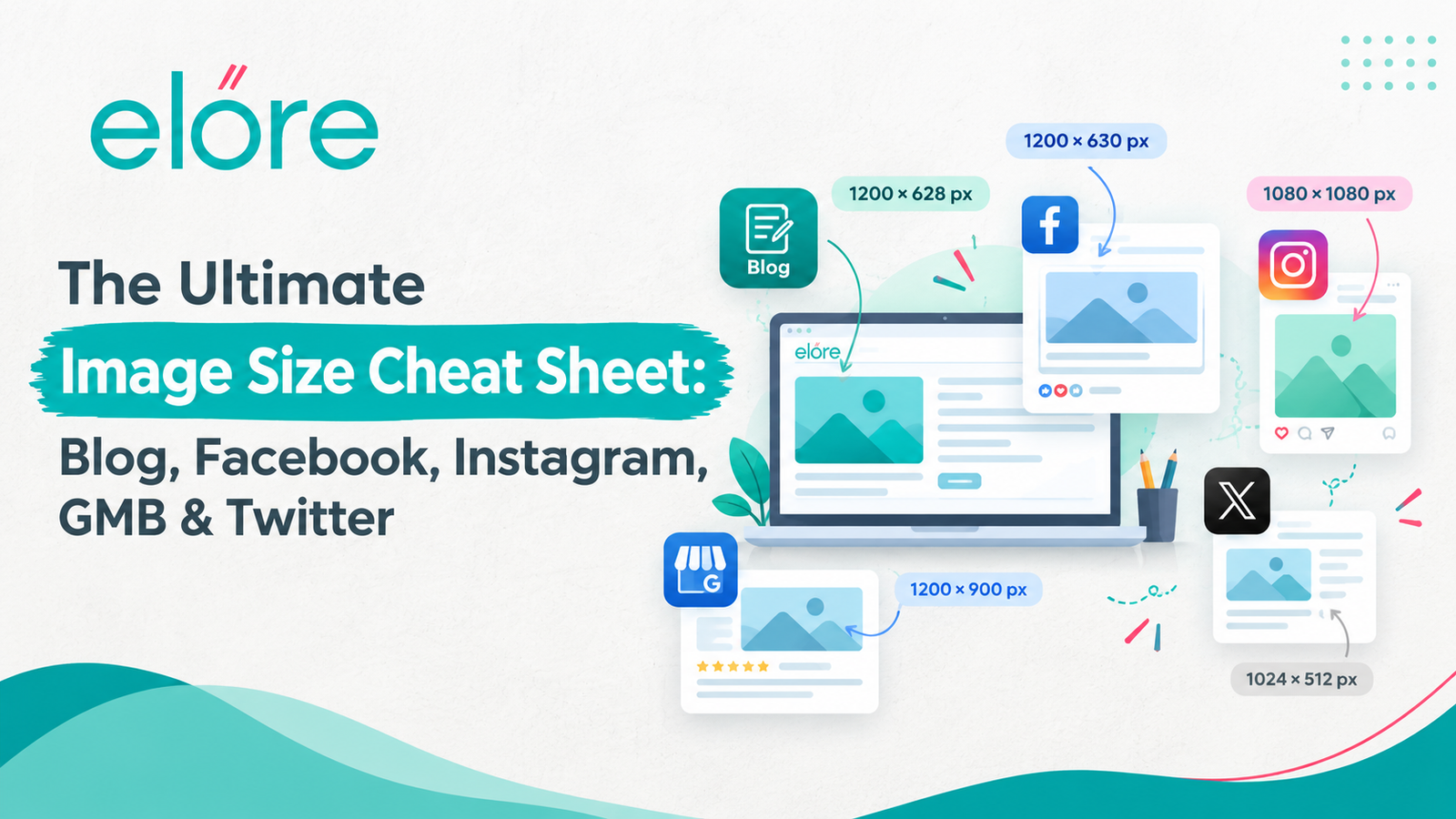
A complete image size cheat sheet for creating optimised visuals across blogs and social media platforms.
Share:
Nearly every marketer has uploaded a perfect banner only to watch it get chopped in half by an algorithm. It is one of the most common and most avoidable mistakes in digital marketing. Getting your image size cheat sheet right the first time saves hours of re-editing and stops your brand from looking careless online.
Wrong dimensions do not just look messy. They cost you clicks, they hurt load times, and on some platforms they can even affect how often your content gets shown in the first place. Whether you manage a blog, a Facebook page, an Instagram grid, a Google Business Profile, or an X account, each platform crops, compresses and displays images in its own way.
In this guide you will learn the exact pixel dimensions, aspect ratios and file format rules for blog featured images, Facebook posts and covers, Instagram posts and stories, Google Business Profile (GMB) photos, and X (Twitter) images — plus the export settings that keep everything sharp.
Table of Contents
Why Image Sizes Matter for SEO and Engagement
Blog Featured Image Size
Facebook Image Sizes
Instagram Image Sizes
Google Business Profile (GMB) Image Sizes
Twitter (X) Image Sizes
Full Image Size Comparison Table
File Formats and Export Settings That Actually Matter
FAQ: People Also Ask About Image Sizes
Conclusion
Why Image Sizes Matter for SEO and Engagement
The right image size means your visual displays sharp, uncropped, and fast-loading across every device it appears on. Get it wrong and three things happen at once: the platform crops your image in a place you did not choose, the file takes longer to load and hurts your page speed score, and the visual looks unprofessional next to competitors who got it right.
Search engines and AI-powered answer engines like Google AI Overviews also reward pages that load quickly and display cleanly, because a fast, well-structured page is easier for both humans and crawlers to parse. A 2024 HubSpot study on content marketing found that posts with correctly sized, high-quality images consistently earned more shares and longer time-on-page than posts with stretched or blurry visuals. Image sizing is not just a design detail. It is an SEO signal and a trust signal rolled into one.
Blog Featured Image Size
A blog featured image should be 1200 x 630 pixels, a 1.91:1 ratio that doubles as your post's Open Graph preview image. This single size does two jobs at once: it displays cleanly as the header image on your blog, and it is also the exact dimension Facebook, LinkedIn and X pull when someone shares your article link.
Standard Blog Post Dimensions
Use Case
Recommended Size
Aspect Ratio
Notes
Featured / header image
1200 x 630px
1.91:1
Doubles as social share preview
In-content images
1000 x 600px
Flexible
Match your content column width
Full-width hero banner
1920 x 1080px
16:9
Use on landing-style posts
Thumbnail / archive grid
400 x 250px
Flexible
Lightweight, loads fast on listing pages
Google Discover eligibility
1200px wide minimum
—
Required for large-image Discover cards
Why 1200 x 630px Works Best
This size meets Google Discover's minimum width requirement of 1200 pixels, which matters if you want your post to appear as a large, high-visibility card in the Discover feed on mobile. It also matches Facebook and X's Open Graph specification almost exactly, so you are not designing two separate images for the same job.
Keep the actual file size under roughly 150 to 250KB. A crisp 1200 x 630px image compressed to WebP format loads fast without losing the sharpness a reader notices on a retina screen.
Common Blog Image Mistakes
Uploading a phone photo straight from the camera roll, often 3–4MB uncompressed, without resizing first
Using a square image as the featured image, which gets awkwardly cropped when shared to Facebook or X
Ignoring the content column width, so in-post images look blurry on desktop or bloated on mobile
Facebook Image Sizes
Facebook uses different dimensions for profile pictures, cover photos, and shared post images, and each one crops differently between desktop and mobile. Getting these three right covers almost every situation a business page will run into.
Facebook Quick Reference
Format
Dimensions
Notes
Profile picture
170 x 170px (desktop)
Displays as a circle; crops to fit
Cover photo
851 x 315px
Visible area shrinks to roughly 640 x 360px on mobile
Shared / link image
1200 x 630px
Most reliable size for link previews
Story
1080 x 1920px
9:16 vertical format
Event cover
1920 x 1005px
Displays across the event page header
Why the Cover Photo Trips People Up
The Facebook cover photo is the single trickiest format on the platform because the visible area is not the same on every device. Design at 851 x 315px, but keep your logo, headline text or any key visual inside the central safe zone of roughly 820 x 312px. That way nothing important gets sliced off when a visitor views your page on a phone instead of a laptop.
For any post you want people to share as a link — a blog post, an offer, an announcement — export the preview image at exactly 1200 x 630px. This is the size Facebook's crawler expects, and matching it precisely prevents the platform from stretching or awkwardly cropping your thumbnail.
Instagram Image Sizes
Instagram is the most visually strict platform in this guide, and even a slightly wrong size stands out immediately in a grid built for sharp, consistent visuals. The platform supports four core formats: square posts, portrait posts, landscape posts, and vertical stories or Reels.
Instagram Quick Reference
Format
Dimensions
Aspect Ratio
Profile picture
320 x 320px (shown at 110px)
1:1
Square post
1080 x 1080px
1:1
Portrait post
1080 x 1350px
4:5
Landscape post
1080 x 566px
1.91:1
Story / Reel
1080 x 1920px
9:16
Which Instagram Format Performs Best
The 4:5 portrait post, at 1080 x 1350px, takes up the most vertical real estate in the feed, which is why it tends to outperform square posts for visibility and reach. Upload at exactly 1080 pixels wide rather than a larger file. Instagram compresses every image on upload, and starting at the platform's native width means the compression has less resampling to do, which keeps the result sharper.
For Stories and Reels, keep any text, logo or call-to-action inside the central 1080 x 1420px safe zone. The top and bottom 250 pixels of a 1080 x 1920px canvas are regularly covered by Instagram's own UI elements, like the username bar and reply field.
Google Business Profile (GMB) Image Sizes
Google Business Profile, still widely called GMB, uses three main image types: the logo, the cover photo, and post images shared through the Updates feature. Unlike social platforms, GMB images directly affect how your business appears in local search and Google Maps results, which makes getting them right a local SEO priority, not just a design one.
GMB Quick Reference
Format
Dimensions
Aspect Ratio
File Rules
Logo / profile photo
720 x 720px
1:1
JPG or PNG, 10KB–5MB
Cover photo
1024 x 576px
16:9
Minimum 480 x 270px
Post image
1200 x 900px
4:3
Minimum 250 x 250px
Why GMB Sizing Affects Local Search
Google may crop your cover photo closer to a square on some placements, so keep your logo, text and any faces inside the central 900 x 900px area of a 1200 x 900px canvas. This matters more than it sounds — a Google Business Profile with a properly framed, high-resolution cover photo and logo tends to look significantly more trustworthy to a searcher deciding between three nearby businesses, and Google's own guidance points to clear, well-lit, correctly sized photos as a factor in overall profile quality.
Stick to JPG or PNG only. Google Business Profile does not accept WebP, GIF or SVG uploads, and files must fall between 10KB and 5MB. Anything smaller than 250 x 250px risks outright rejection.
Twitter (X) Image Sizes
X uses a wide, shallow banner format that is unusual compared to most other platforms, which makes it easy to design incorrectly if you are used to Instagram or Facebook's more square-friendly layouts.
X / Twitter Quick Reference
Format
Dimensions
Notes
Profile picture
400 x 400px
Displays as a circle
Header / banner
1500 x 500px
3:1 ratio, keep key content away from the edges
Post image
1200 x 675px
16:9, cropped in feed until clicked
Card / link image
800 x 418px
Used for link preview cards
Designing for the X Feed Crop
Images posted to X get cropped to roughly 16:9 in the timeline on most devices, and the full image only appears once someone taps to expand it. Because of that, place your key visual element — a face, a headline, a product — in the centre of the frame rather than near the edges, where it is most likely to be trimmed off before anyone clicks through.
The 1500 x 500px header banner is a 3:1 ratio, which is wide and shallow by design. Centred logos or text tend to look isolated in this shape, so horizontal compositions, landscape photography or simple background patterns generally read better here than a single centred graphic.
Full Image Size Comparison Table
Blog
—
1200 x 630px
1000 x 600px (in-post)
—
Facebook
170 x 170px
851 x 315px
1200 x 630px
1080 x 1920px
Instagram
320 x 320px
—
1080 x 1080px
1080 x 1920px
GMB
720 x 720px
1024 x 576px
1200 x 900px
—
X / Twitter
400 x 400px
1500 x 500px
1200 x 675px
—
Bookmark this table. Platform specs shift every year or two as apps redesign, so treat it as your working reference and double-check against the platform's own help centre before a major brand rollout.
File Formats and Export Settings That Actually Matter
Getting the pixel dimensions right is half the job. Export settings decide whether that image actually looks sharp once it is live.
JPEG — best for photography and complex imagery. Export at 80–90% quality for a good balance of sharpness and file size.
PNG — always use for logos, icons and anything with transparency. Files are larger but lossless.
WebP — best general-purpose web format, offering better compression than JPEG or PNG, though a small number of platforms still do not accept it for direct upload.
Colour profile — export in sRGB, not Adobe RGB or Display P3. Every platform in this guide converts to sRGB on upload, so exporting in sRGB from the start avoids any colour shift.
Resolution — 72ppi is enough for screen display. What actually matters for sizing is pixel dimensions, not DPI; DPI only affects print output.
FAQ: People Also Ask About Image Sizes
FAQs
1200 x 630 pixels is the safest size for a blog featured image. It meets Google Discover's minimum width, matches Facebook and X's Open Graph preview size, and displays cleanly across nearly every WordPress theme.
Design your Facebook cover photo at 851 x 315 pixels, but keep logos and text inside the central 820 x 312 pixel safe zone. The visible area shrinks on mobile, so anything near the edges can get cropped out.
Square posts should be 1080 x 1080 pixels. For more feed visibility, use the 4:5 portrait format at 1080 x 1350 pixels, which takes up more vertical space than a square post.
Use 720 x 720 pixels for your logo, 1024 x 576 pixels for your cover photo, and 1200 x 900 pixels for post images. Files must be JPG or PNG between 10KB and 5MB.
The X header banner should be 1500 x 500 pixels, a wide 3:1 ratio. Keep your logo or headline centred, since content near the edges is more likely to be cropped on smaller screens.
Most platforms compress images on upload. If your original file is far larger or smaller than the platform's native dimensions, the resampling process introduces visible blur or artefacts. Uploading at the platform's exact recommended size avoids this.
Not reliably. A 1200 x 630 pixel image works well for blogs, Facebook shares and X link previews because those three share a similar ratio, but Instagram, GMB and Stories formats need their own dimensions to avoid cropping.
Yes, indirectly. Correctly sized, compressed images load faster, which improves Core Web Vitals scores, and a 1200-pixel-wide featured image is required for large-format Google Discover cards, both of which influence organic visibility.
Conclusion
Getting your image sizes right across every channel comes down to three things: match each platform's exact pixel dimensions, keep key content inside the safe zone so cropping never cuts off your logo or message, and export in the right format and colour profile so nothing looks washed out after upload. Use this image size cheat sheet as your standing reference sheet whenever you are prepping visuals for your blog, Facebook, Instagram, GMB or X.Save this guide, share it with your design team, and check back periodically since platforms update their specs without much warning. If you would like a custom set of templates built to these exact dimensions for your brand.
Stay ahead with expert insights on Digital Marketing, SEO, Website Design, Web Development, PPC, Social Media Marketing, and Content Marketing. Explore the latest industry trends, practical strategies, and proven techniques to grow your online presence. Subscribe today and receive valuable updates, expert tips, and actionable advice directly in your inbox.
Have valuable digital marketing insights to share?
Write for Elore Digital and showcase your expertise to a growing audience of marketers, business owners, and industry professionals.




Leave A Reply