03 Aug 2026 • 5 Minutes Read
Written by Elore Digital Team
How to Reserve Your WhatsApp Username: 2026 Guide
WhatsApp usernames let you message people without ever sharing your phone number — and as of June 29, 2026, you can reserve yours before someone else takes it. Meta opened reservations to get ahead of a simple problem: with more than three billion people on WhatsApp, the good usernames won't last long once the feature fully launches later this year.
Here's everything you need to know: how to reserve a username right now, the exact naming rules, what the new "username key" does, and what actually changes for your privacy once it's live.
What Are WhatsApp Usernames?
A WhatsApp username is a unique handle — shown with an @ symbol — that you can share instead of your phone number. Once the feature is fully active on your account, anyone messaging you for the first time will see your username rather than your digits, if you've chosen to turn that on.
It's the same idea Telegram, Signal, and Wire have offered for years, and WhatsApp has been building toward it for a while. The motivation is straightforward: a phone number is tied to a lot of your life, and handing it to a new coworker, a parent from your kid's soccer team, or someone you just met isn't something everyone wants to do just to send one message.
Two important distinctions worth clearing up early:
- Username vs. display name — your display name is cosmetic and can be anything; your username is unique across all of WhatsApp and is what people actually use to find and message you.
- Reserving vs. using — reserving a username now just locks it in. The feature that lets people actually message you by username is rolling out gradually, country by country, over the coming months. You reserve today, you use it later.
How to Reserve Your WhatsApp Username (Step by Step)
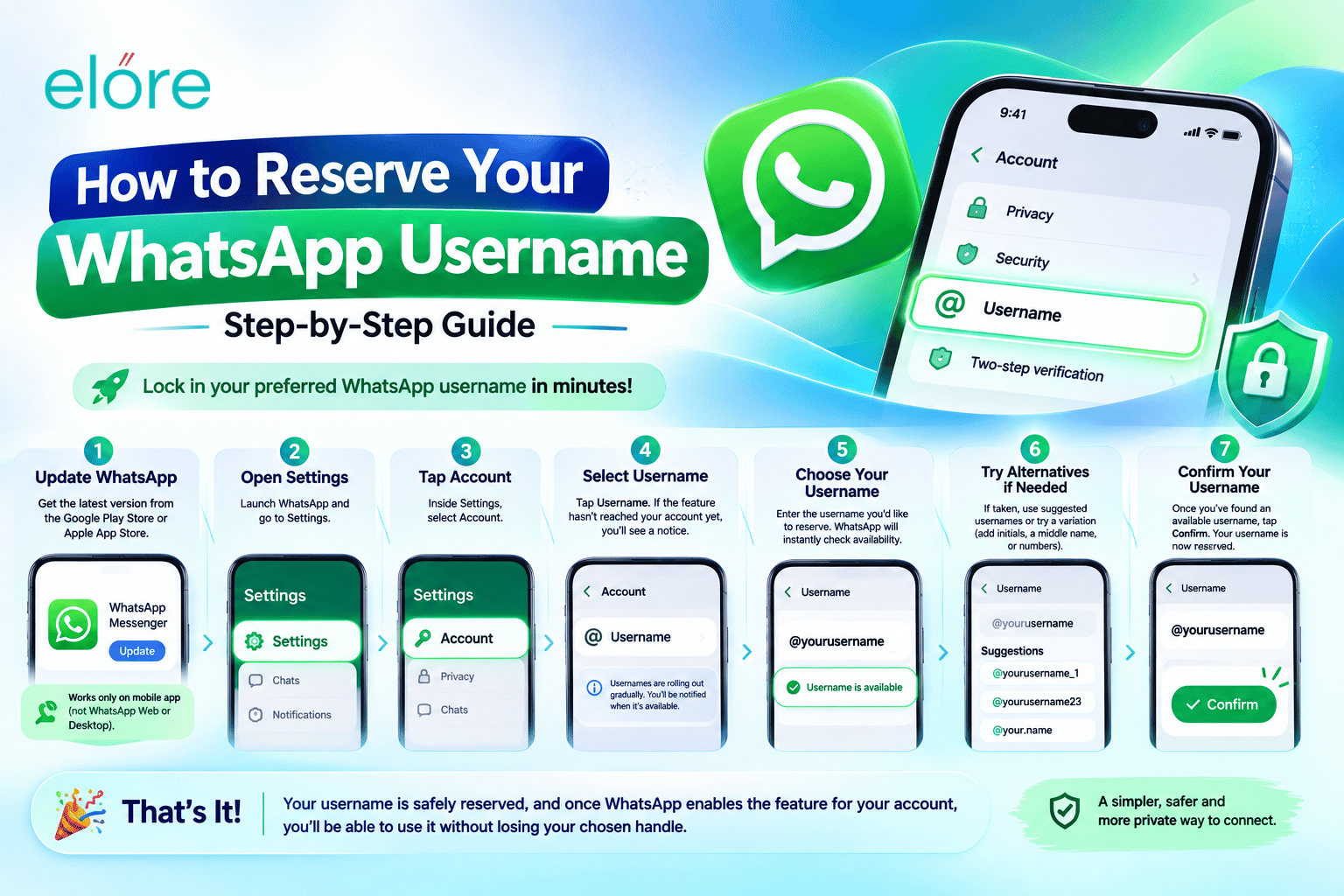
- Update WhatsApp to the latest version from the App Store or Google Play. This currently only works on the mobile app — not WhatsApp Web or Desktop.
- Open Settings, then tap Account.
- Tap Username. If reservations haven't opened for your account yet, you'll see a notice — WhatsApp is rolling this out gradually and will notify you in-app when it's your turn.
- Type the username you want. WhatsApp will tell you instantly whether it's available.
- If it's taken, use the built-in username generator for suggestions, or try a variation — adding an initial, a middle name, or a number tends to work better than special characters, which aren't allowed anyway.
- Confirm your username. That's it — it's reserved. You don't need to do anything else until WhatsApp turns the full feature on for your account.
If you run a WhatsApp Business account, the same Settings > Account > Username path applies, and reservation is also expanding through the WhatsApp Business API as the rollout continues.
WhatsApp Username Rules: What's Allowed
Before you type anything in, it helps to know the constraints — a rejected username because of a stray character is the most common frustration people are running into:
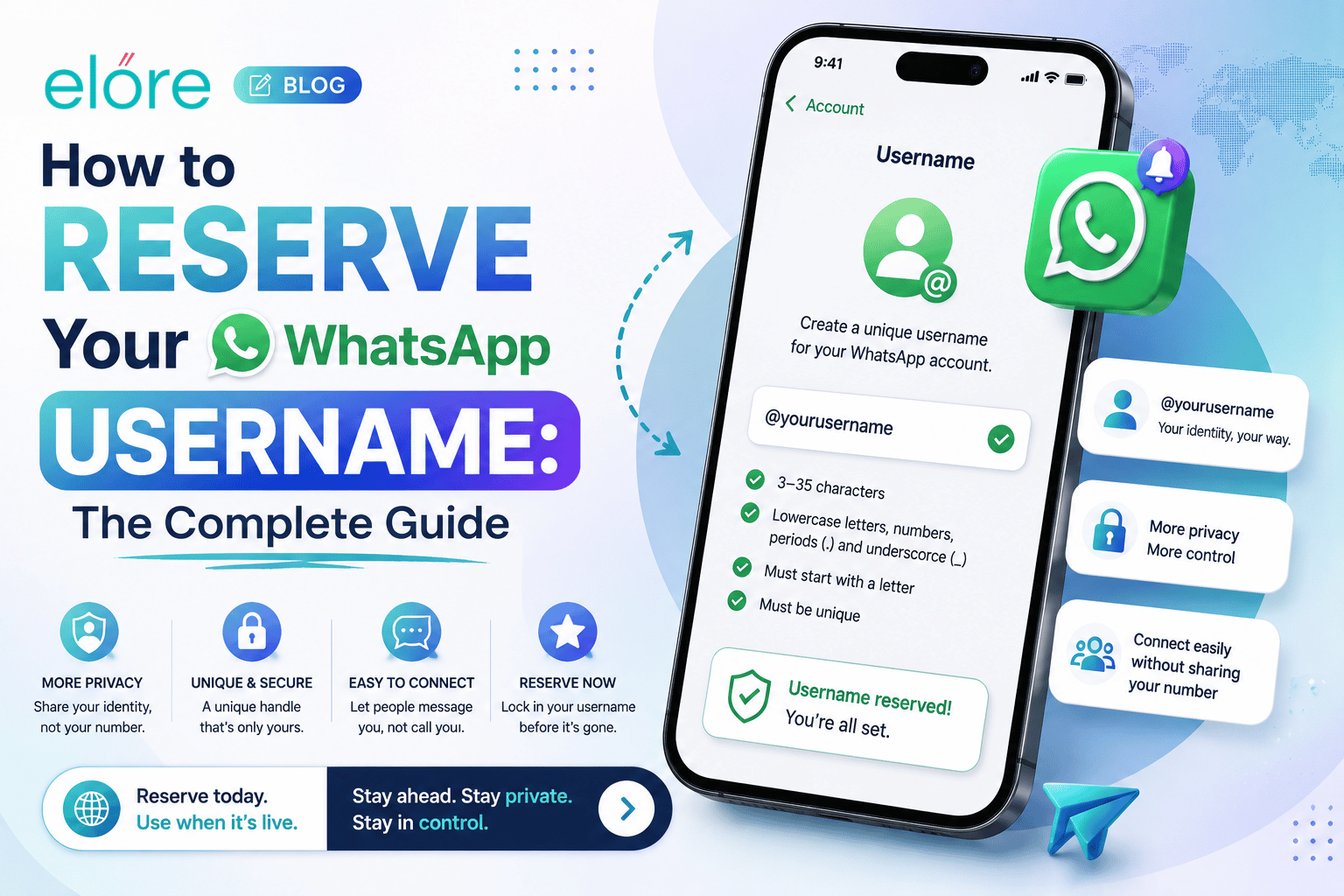
- Length: 3 to 35 characters.
- Allowed characters: lowercase letters (a–z), numbers (0–9), periods (.), and underscores (_) only.
- Must start with a letter — usernames can't begin with a number, period, or underscore, and can't start with "www."
- Can't end with a domain extension like
.com or .net. - No consecutive periods, and it can't start or end with a period.
- Must be unique and comply with WhatsApp's policies — impersonation attempts and confusingly similar handles are blocked.
Worth knowing: Meta has already pre-reserved usernames for celebrities, verified organizations, government accounts, and major brands, so some obvious names are locked before you even try. If you also use Instagram, you're in luck either way — Instagram usernames are pre-reserved for their existing owners on WhatsApp too, so nobody else can grab yours.
Claiming Your Instagram or Facebook Username
If you're a creator, small business, or organization that already has an established handle elsewhere, WhatsApp built a shortcut specifically for you: you can claim your existing Instagram or Facebook username as your WhatsApp username in a couple of taps, rather than typing it manually and hoping it's free. It's the fastest way to keep a consistent identity across all three platforms.
The Username Key: An Extra Layer of Privacy
Alongside usernames, WhatsApp is introducing an optional username key — think of it as a passcode layered on top of your username. If you turn it on, someone needs to know both your username and your key before they can message you for the first time. Your username alone won't be enough.
This matters most if you're worried about a username-only setup turning into a spam magnet. There's no public directory of usernames and no "people you may know" suggestions — people have to know your exact username already — but a popular or guessable handle can still get random messages. The key closes that gap for anyone who wants tighter control over who reaches out first.
Does This Change Anything for People Who Already Have Your Number?
No. If someone has already saved your contact, they'll continue to see the name they saved and your phone number, exactly as before. Usernames only change what's shown to new contacts messaging you for the first time — and only if you've enabled that option. Your existing chats, groups, and contacts are unaffected.
It's also worth being clear about what usernames don't do: WhatsApp still requires a phone number to create and log into an account. Usernames add a privacy layer for new contacts — they're not full anonymity from the platform itself.
WhatsApp Usernames for Businesses
For personal accounts, an enabled username replaces your phone number in new conversations. For WhatsApp Business accounts, it works a little differently: the business phone number still displays, but the username adds a unique, searchable handle that makes the business easier to find and remember — similar to how a memorable Instagram handle works for discoverability. If you run a business account, keeping the username close to your existing brand name (the way your Instagram or Facebook handle already looks) makes it easier for customers to find and recognize you across platforms.
When Will Usernames Be Available in My Country?
There's no single launch date — WhatsApp is rolling the full feature out gradually, market by market, over the coming months, and will send an in-app notification once it's live for your account. Reservation, however, is already open in many regions right now, which is why claiming your preferred handle early is worth doing even if you can't use it yet.
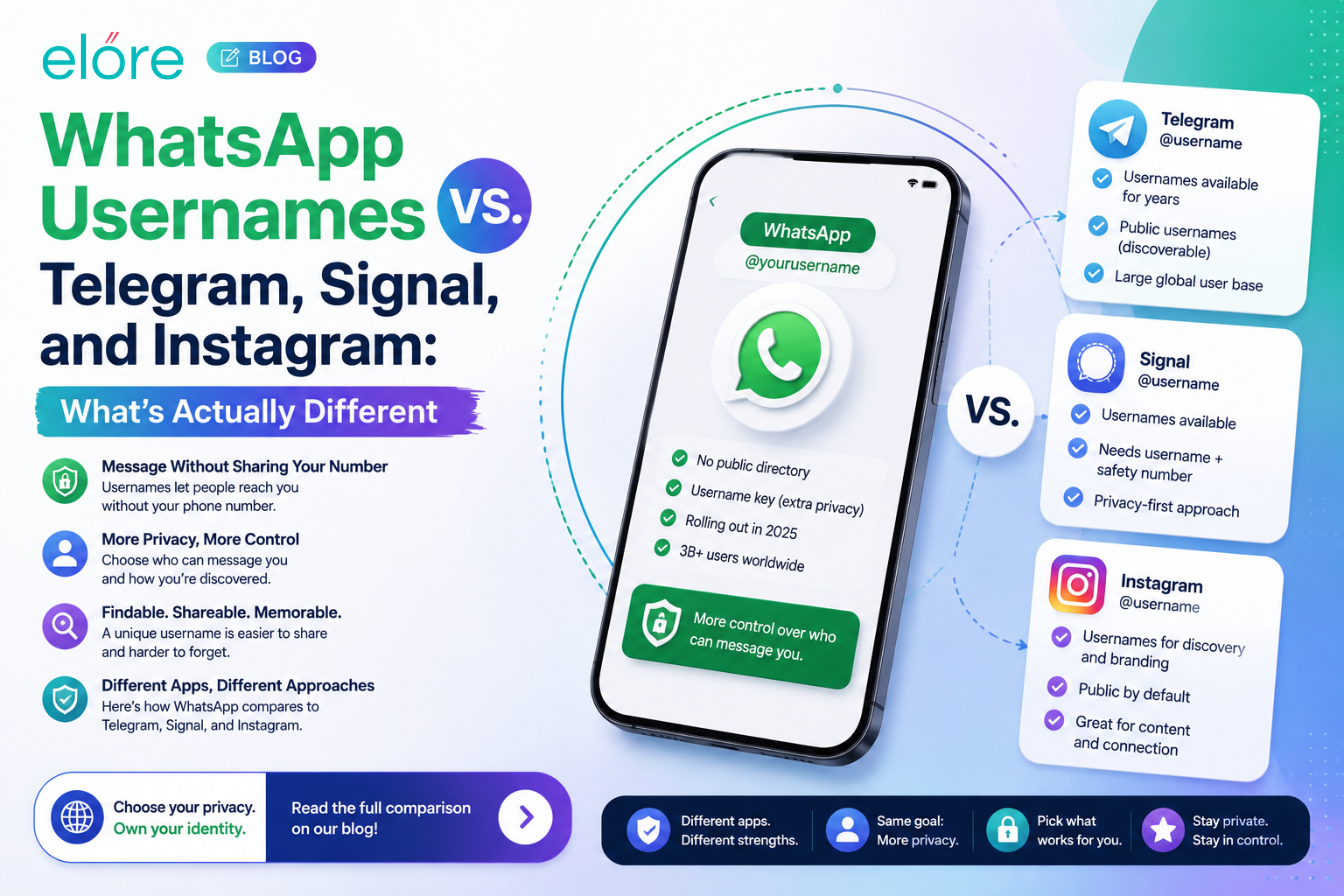
WhatsApp Usernames vs. Telegram, Signal, and Other Apps
Usernames aren't a new idea — Telegram, Signal, and Wire have all offered them for years as a way to message people without exchanging phone numbers. What's notable is the scale: WhatsApp has well over three billion users, making this the largest rollout of username-based messaging to date, and likely the first time many people encounter the concept at all. Functionally, the approach is similar across apps — a unique, searchable handle instead of a number — though WhatsApp's addition of an optional username key for extra access control is a slightly more granular privacy option than most competitors offer by default.
Frequently Asked Questions
Can I reserve a WhatsApp username right now?
Yes, if reservations have opened for your account. Update to the latest version of WhatsApp, go to Settings > Account > Username, and you'll either see the option or a notice that it's coming soon to your account.
Is reserving a username the same as using it?
No. Reserving locks in your handle now; the ability to actually message people using it is rolling out gradually over the coming months, and WhatsApp will notify you in-app when it's active.
Can I reserve a WhatsApp username from my computer?
Not currently. Reservation is only available on the mobile app (iOS and Android) — not WhatsApp Web or Desktop.
What happens if my preferred username is taken?
Try adding an initial, a middle name, or a number, or use WhatsApp's built-in username generator for available suggestions.
Does a username replace my phone number completely?
No. You still need a phone number to create and log into a WhatsApp account. A username only changes what new contacts see when they message you for the first time.
What is a WhatsApp username key?
An optional passcode that works alongside your username. If enabled, someone needs both your username and your key to message you for the first time — an extra layer of control beyond the username alone.
Can businesses use WhatsApp usernames?
Yes. Business accounts keep their phone number visible but gain a unique, searchable username for discoverability, with reservation also expanding through the WhatsApp Business API.
Will my saved contacts see my username instead of my number?
No. Anyone who already has you saved will keep seeing your saved name and phone number as before — usernames only affect new contacts.
The Bottom Line
WhatsApp usernames are a genuinely significant privacy shift for the world's biggest messaging app — and reserving yours takes under a minute. Update the app, head to Settings > Account > Username, and lock in a handle before it's gone. The reservation is free, it costs nothing to hold, and given how quickly good usernames are already disappearing, there's no real reason to wait.
 MOST READS

Leave A Reply